Training clinicians on a new EHR: a strategy for low resource settings
Clinicians adopt a new electronic health record when training is short, specific to their role, delivered in their own workflows, and followed by support at the elbow from colleagues they trust. In low resource settings the strategy must also fit around staff shortages, limited computer experience and turnover, which means training is a continuing function of the hospital rather than a single event before go live.
Training is often the line item cut first when an implementation budget is under pressure, and it is frequently the reason a well configured system is underused. This guide sets out what the evidence says about clinician training, the constraints specific to low resource settings, and a practical strategy covering role based curricula, super users, train the trainer programmes, competency assessment and long term support.
Why training determines adoption
The largest body of evidence on clinician experience of electronic records comes from the KLAS Arch Collaborative, which surveys clinicians across many health systems. Its 2019 analysis found that clinicians who strongly agreed that their initial training prepared them well scored 90 points higher on its Net EHR Experience Score than those who strongly disagreed [1]. It recommended five to eight hours of initial training and three to five hours of ongoing training each year, and found that a mix of delivery methods, including in person training, rounding and training on specialty workflows, had the greatest positive effect [1].
The literature from low resource settings has paid less attention to training than its importance warrants. A systematic review of 47 studies of electronic medical record implementations in low resource settings found that training was mentioned in roughly 10 percent of papers, while functionality, organisational issues and infrastructure dominated [2]. Yet a separate review of 32 studies reported high staff turnover, little local technical support and low computer literacy as common barriers, along with user complaints about training burdens and lost productivity [3].
The constraints in low resource settings
Training plans written for well staffed hospitals rarely survive contact with a provincial hospital or district clinic. Four constraints shape the strategy.
Staff cannot be released for long. WHO projects a shortfall of 11 million health workers by 2030, mostly in low and lower middle income countries [4]. A ward that is already short of nurses cannot send half its team to a classroom for two days.
Computer experience varies widely. In a randomised trial of ICT training for community health workers in Malawi, most participants had no prior computer access or formal computer training [5]. A mapping of 72 facilities in Sierra Leone found that only two primary health care units had a functional computer [6]. Some staff will need basic device skills before they can learn the system itself.
Infrastructure limits training methods. The Malawi trial needed offline delivery of course materials because of limited electricity and network coverage [5]. Training that depends on streaming video or a stable connection to a training server will exclude the facilities that most need it.
Turnover and rotation are constant. Doctors rotate between departments and facilities, and nurses move between wards. A training programme that ends at go live will be out of date within months.
A role based training strategy
The most efficient training teaches each person only the tasks their role performs, in the workspace they will use. A ward nurse needs to record observations, administer medicines and hand over; a pharmacist needs to verify and dispense; a laboratory scientist needs to receive samples, run quality control and release results. Teaching every user every screen wastes scarce time and increases anxiety.
| Role | Core tasks to master | Suggested format | Indicative initial time |
|---|---|---|---|
| Registration and medical records | Find or register a patient, avoid duplicates, admit, discharge, run returns | Small group, hands on | Half a day |
| Ward nurses | Patient list, observations, medication administration, handover, early warning flags | Short sessions on the ward, then at the elbow | Two to three hours |
| Doctors | Review the record, document, order tests, prescribe, refer, discharge | Specialty specific sessions | Two to four hours |
| Pharmacy | Verify prescriptions, respond to interaction and allergy checks, dispense, manage stock | Department session using real formulary | Half a day |
| Laboratory | Sample receipt, barcodes, quality control, result verification, critical values | Department session on the analysers in use | Half a day |
| Department leads and super users | All of the above for their area, plus reports and troubleshooting | Extended session and rehearsal | One to two days |
The indicative times are planning estimates, consistent with the KLAS recommendation of five to eight hours of initial training in total [1]; each hospital should adjust them after a pilot session.
Training should use the department's own configured workflows and realistic patient scenarios. Staff learn faster when the screen in training is the screen they will see on Monday, with their own forms and their own reports.
Super users: the most important training investment
Super users are clinicians and administrative staff from each department who receive deeper training and then support colleagues during and after go live. Their value depends on how they behave, not only on what they know.
A mixed methods study of super users on two hospital units found four behaviours that differed between the units: proactivity, depth of explanation, framing, and information sharing [7]. The unit whose super users showed more of these behaviours had significantly greater improvement in clinicians' proficiency with the system, and super user engagement depended on how unit managers selected them and on the implementation climate [7].
Selecting super users
- Choose respected practitioners, not only the most technically confident
- Cover every shift, including nights and weekends
- Secure the department lead's agreement to release them from routine duties during go live
- Give them a direct line to the implementation team for issues they cannot resolve
- Recognise the role formally, in rosters and in performance discussions
The limits of train the trainer
Train the trainer, or cascade training, is attractive where trainers are scarce: a small group is trained and then trains everyone else. The evidence urges caution. A study of 15 global health training partnerships, mostly in Africa, found that only 3 fully transferred training from visiting master trainers to local trainers, and that in most, local trainers still relied on outside support when projects ended [8]. Local trainers were chosen mainly for technical skill, while teaching ability and motivation were rarely assessed [8].
The authors proposed the TRAIN framework, covering talent, resources, alignment, implementation, and nurture and development, and concluded that the sustainability of a cascade depends on factors at individual, organisational and national levels [8]. In practice, cascade training works when local trainers are selected for teaching ability, given protected time and materials, and supported by the supplier after go live rather than left alone at handover.
Choosing training methods
No single method suits every role or facility. The Malawi trial compared a five day traditional course with a three week blended course of online, mobile and face to face learning, and found no difference in actual ICT knowledge between the groups, while noting that the blended group found the content harder to follow [5]. Blended learning may suit staff who cannot leave their posts for days at a time, provided materials work without a reliable connection.
| Method | Best used for | Caution |
|---|---|---|
| Classroom with hands on practice | Super users, department leads, complex roles | Requires release from duty |
| Short sessions on the ward | Nurses and frequently repeated tasks | Needs a quiet period and a facilitator |
| Support at the elbow | The first weeks after go live | Depends on super user coverage on every shift |
| Quick reference guides | Infrequent tasks and new staff | Must be updated with every configuration change |
| Blended or self paced modules | Refreshers and induction | Must work on the devices and connections staff have |
Assessing competency, not attendance
An attendance register shows who was in the room, not who can safely use the system. The Malawi trial found that self rated scales alone can give misleading results [5], so competency should be assessed by observation of real tasks.
A short observed checklist for each role is sufficient: the user finds the right patient, completes their core tasks without assistance, responds correctly to a safety alert such as an allergy warning, and knows the downtime procedure. Users who do not pass receive targeted support before go live, not a repeat of the full course.
WHO's recent review of competency frameworks for digital health identifies common clusters including patient care, data, informatics, communication, technical proficiency and digital professionalism [9]. Ministries building a national approach to digital health workforce development can align hospital level competency checklists with these clusters over time.
Sustaining competence after go live
Sittig and Singh's sociotechnical model lists people as one of eight dimensions that must be addressed together in any health IT implementation [10], and people change constantly. A sustainable programme includes induction for every new staff member before they receive credentials, refresher sessions when configuration changes, a super user network that meets regularly, and annual refresher time in line with the three to five hours KLAS recommends [1].
WHO's Digital Implementation Investment Guide treats workforce and training as a core part of implementation planning and adapts Kotter's eight step change model for the purpose [11]. The guide to implementing an EHR from workflow mapping to go live shows where training sits in the wider implementation sequence.
How Moana approaches training
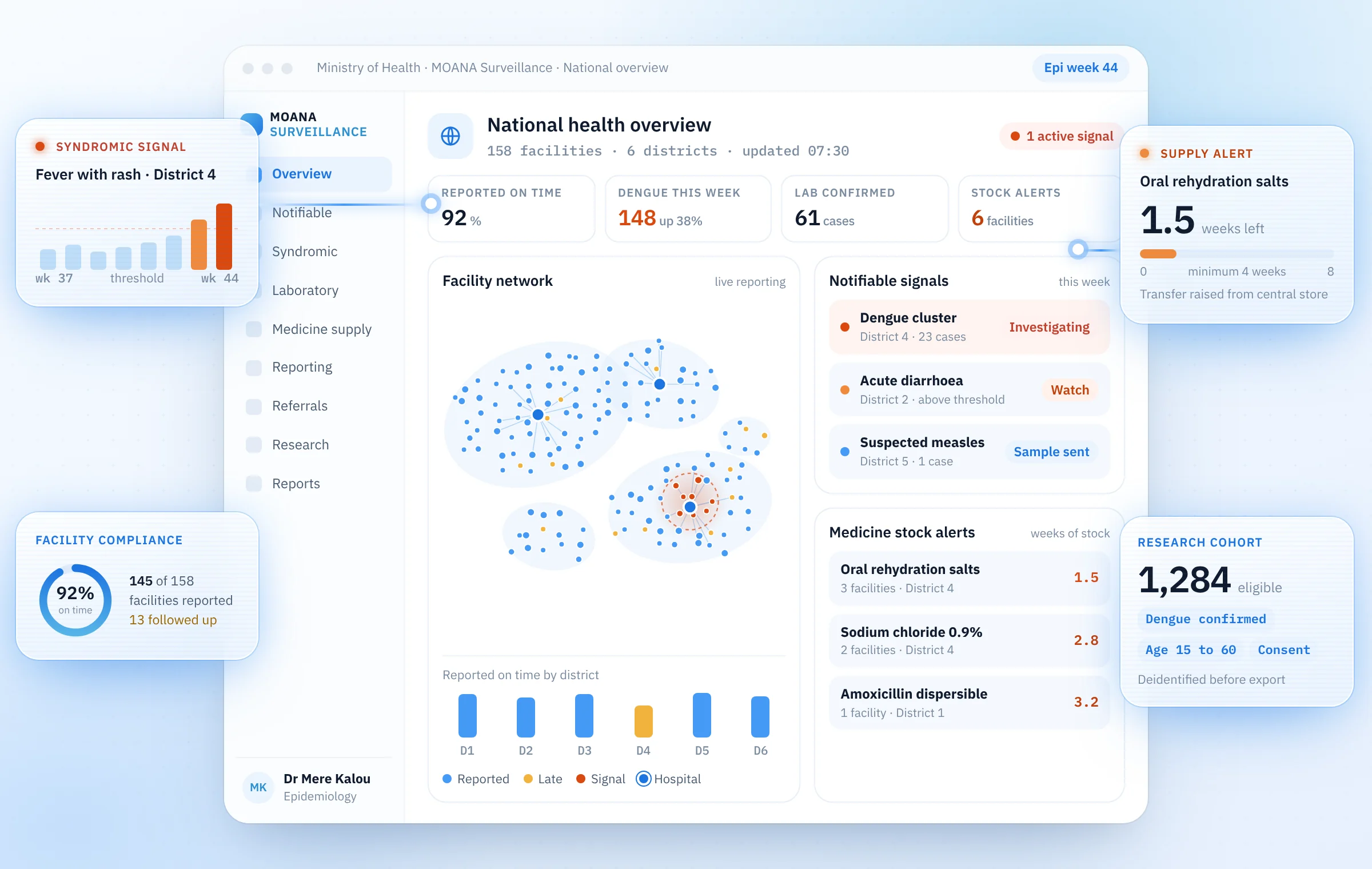
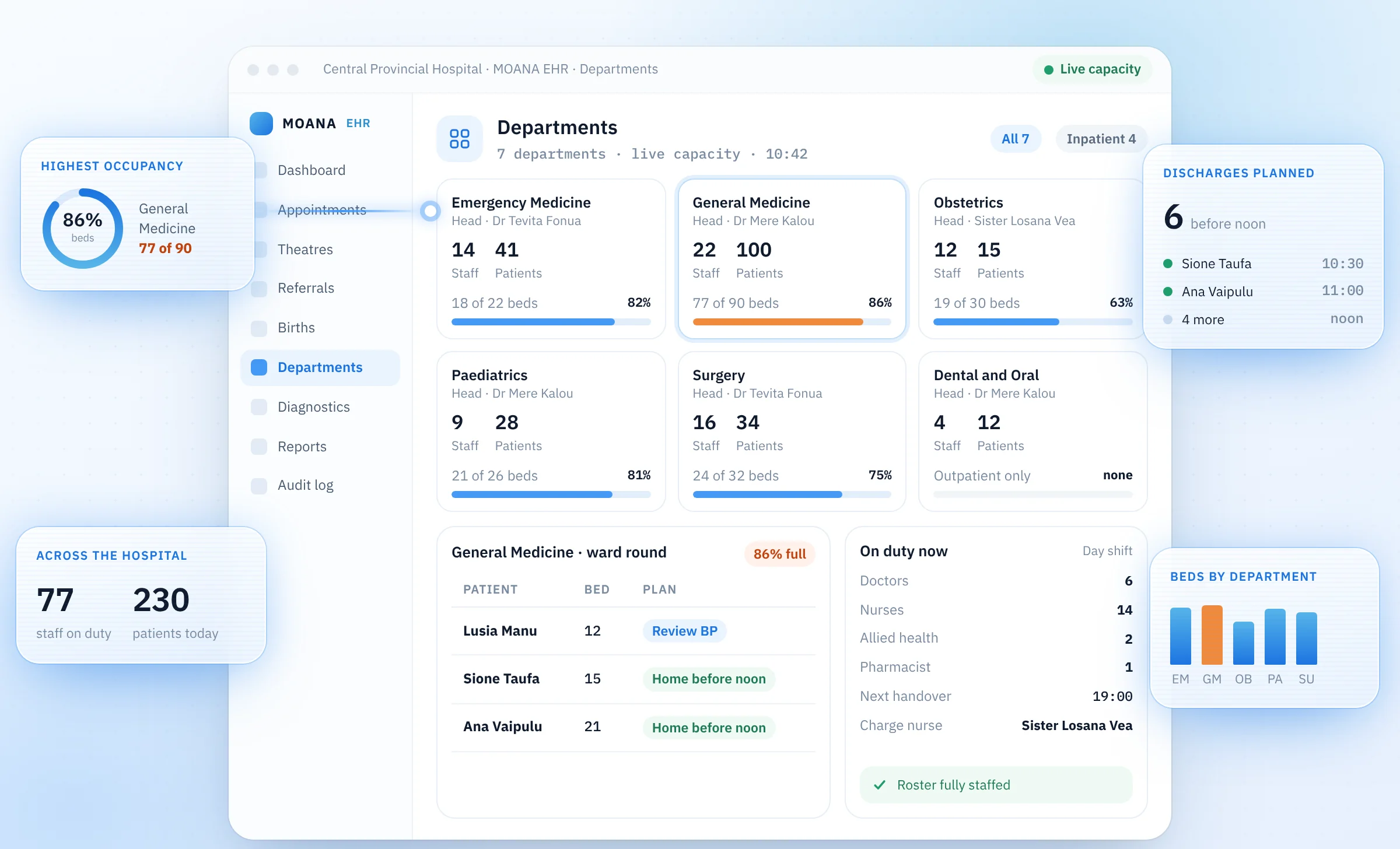
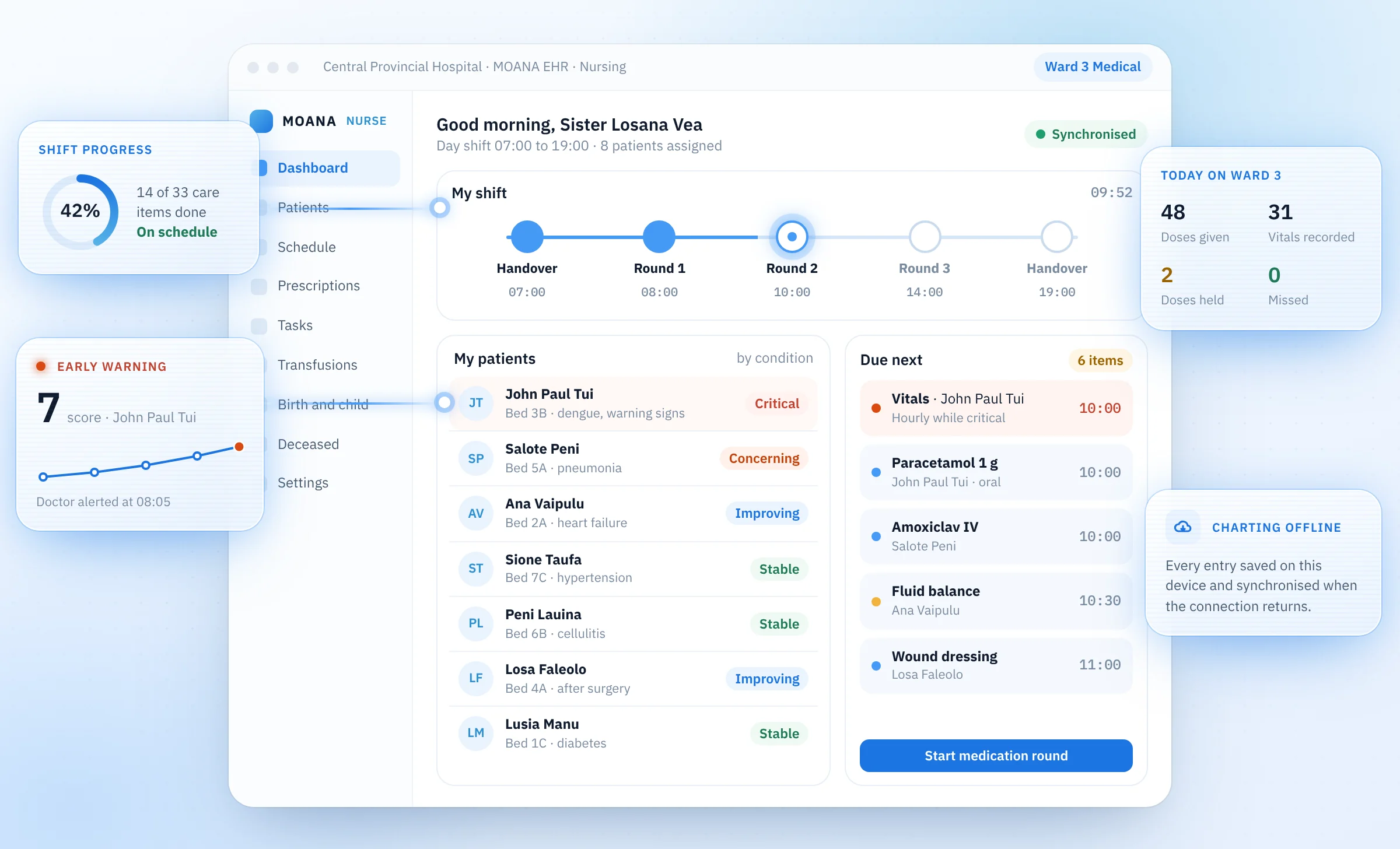
Moana is built so that each person learns only what their role requires. MOANA Desktop provides role based workspaces for doctors, nurses, pharmacy, laboratory, radiology and administration, all working on one patient record. A ward nurse is trained on the nurse workspace, with the patient list, observations, medication administration and early warning flags in one place; a pharmacist is trained on prescription verification, interaction and allergy checks with severity, batch and expiry, and stock.
Training uses each department's own configured workflows. Because every department is mapped and configured with its own staff before go live, the screens in training reflect the forms, registers and reports that department already uses. The Officer in Charge and the department's super users take part in configuration, so they arrive at training already familiar with the system and able to support colleagues.
Rollout and training are delivered on site by the Moana team alongside the hospital's own ICT staff, with remote support after go live. At ANGAU Memorial Provincial Hospital, where every department has been mapped and configured and go live is expected in the coming weeks, this is the plan for rollout. The same approach applies in clinics in Pakistan and the South Pacific where Moana is live.
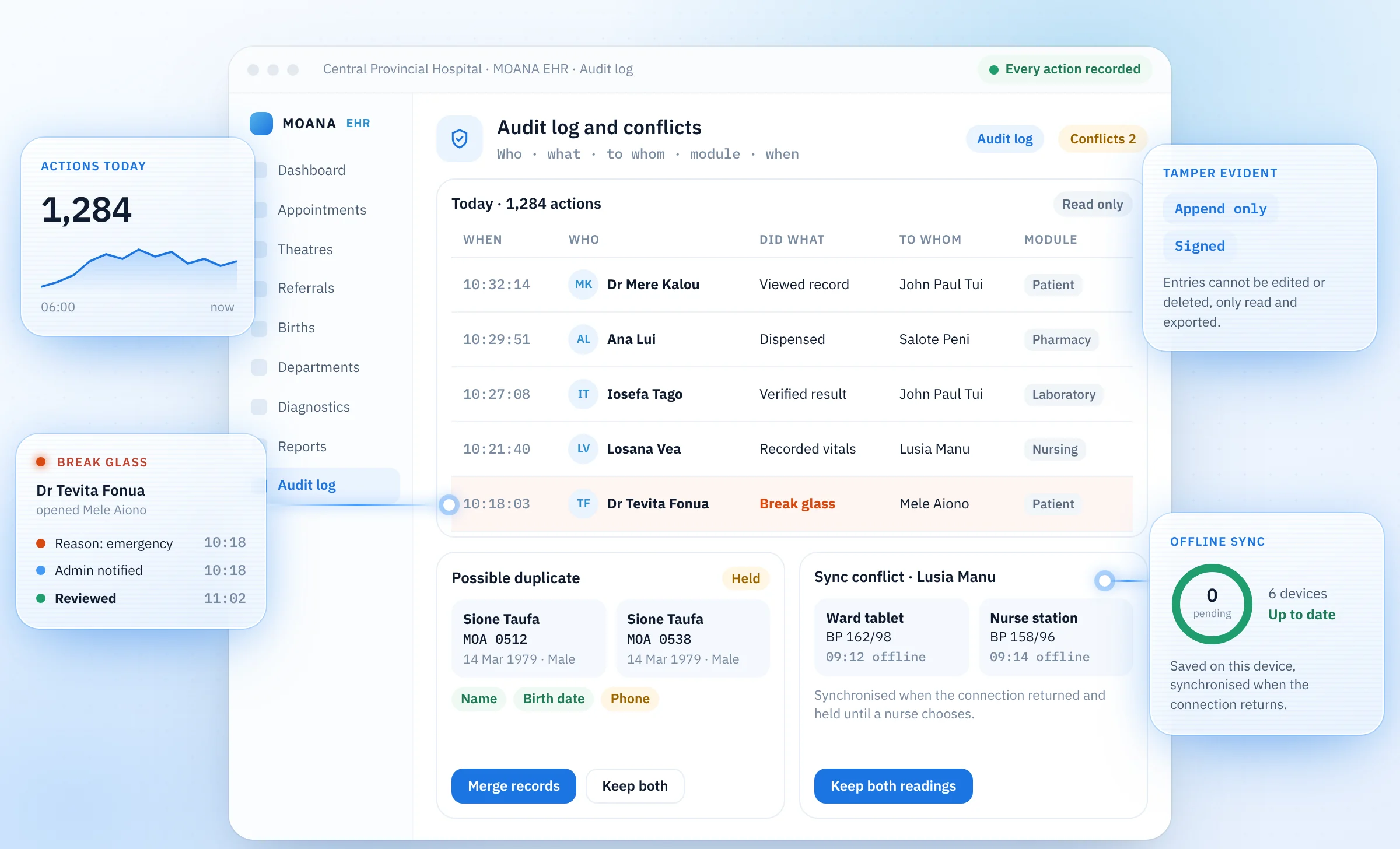
Two design choices reduce the training burden. Moana is designed for unreliable connectivity, so staff do not need to learn a separate offline procedure: work is saved on the device and synchronised when the connection returns, as described in the guide to designing health systems for unreliable connectivity. Clinical decision support is consistent: clinical rules flag patients by severity, an AI generated summary supports the clinician, and the clinician reviews every flag. Staff are trained to act on flags, not to defer to them. More on the implementation method is on how we work.
Frequently asked questions
How many hours of training do clinicians need for a new EHR?
The KLAS Arch Collaborative recommends five to eight hours of initial training and three to five hours of ongoing training each year [1]. In low resource settings, initial training is best split into short role specific sessions so that wards remain staffed.
What is a super user?
A super user is a member of a department's own staff who receives deeper training and supports colleagues during and after go live. Evidence shows that how super users are selected and how actively they engage strongly affects how quickly colleagues become proficient [7].
Does train the trainer work for EHR training?
It can, but only with deliberate support. Studies of global health training partnerships show that cascades often fail to transfer fully to local trainers unless trainers are selected for teaching ability and supported after the project ends [8].
How should training be delivered where internet access is unreliable?
Use materials and training environments that work without a stable connection, favour in person and ward based sessions, and choose a system that behaves the same way whether or not the network is present.
How do you know staff are ready for go live?
Observe each user completing their role's core tasks, responding to a safety alert and describing the downtime procedure. Attendance alone is not evidence of competence.
Sources
- Clinician training, Arch Collaborative report, KLAS Research, 2019
- Success criteria for electronic medical record implementations in low resource settings: a systematic review, Journal of the American Medical Informatics Association, 2015
- Benefits and challenges of EMR implementations in low resource settings: a state of the art review, BMC Medical Informatics and Decision Making, 2016
- Health workforce, World Health Organization
- Training community healthcare workers on the use of information and communication technologies: a randomised controlled trial of traditional versus blended learning in Malawi, Africa, BMC Medical Education, 2018
- Electricity, computing hardware, and internet infrastructures in health facilities in Sierra Leone: field mapping study, JMIR Medical Informatics, 2022
- A mixed methods study of how clinician super users influence others during the implementation of electronic health records, BMC Medical Informatics and Decision Making, 2015
- A conceptual framework for training of trainers (ToT) interventions in global health, Globalization and Health, 2018
- Competency frameworks and standards for digital health, World Health Organization, 2026
- A new sociotechnical model for studying health information technology in complex adaptive healthcare systems, BMJ Quality and Safety, 2010
- Digital Implementation Investment Guide (DIIG): integrating digital interventions into health programmes, World Health Organization, 2020